What Is GrooveJog?
GrooveJog helps you hear songs clearly, transcribe music, and practice. After importing audio or video, you can slow playback, loop a section, write notes for clips, and separate vocals, drums, bass, and other parts in the app.
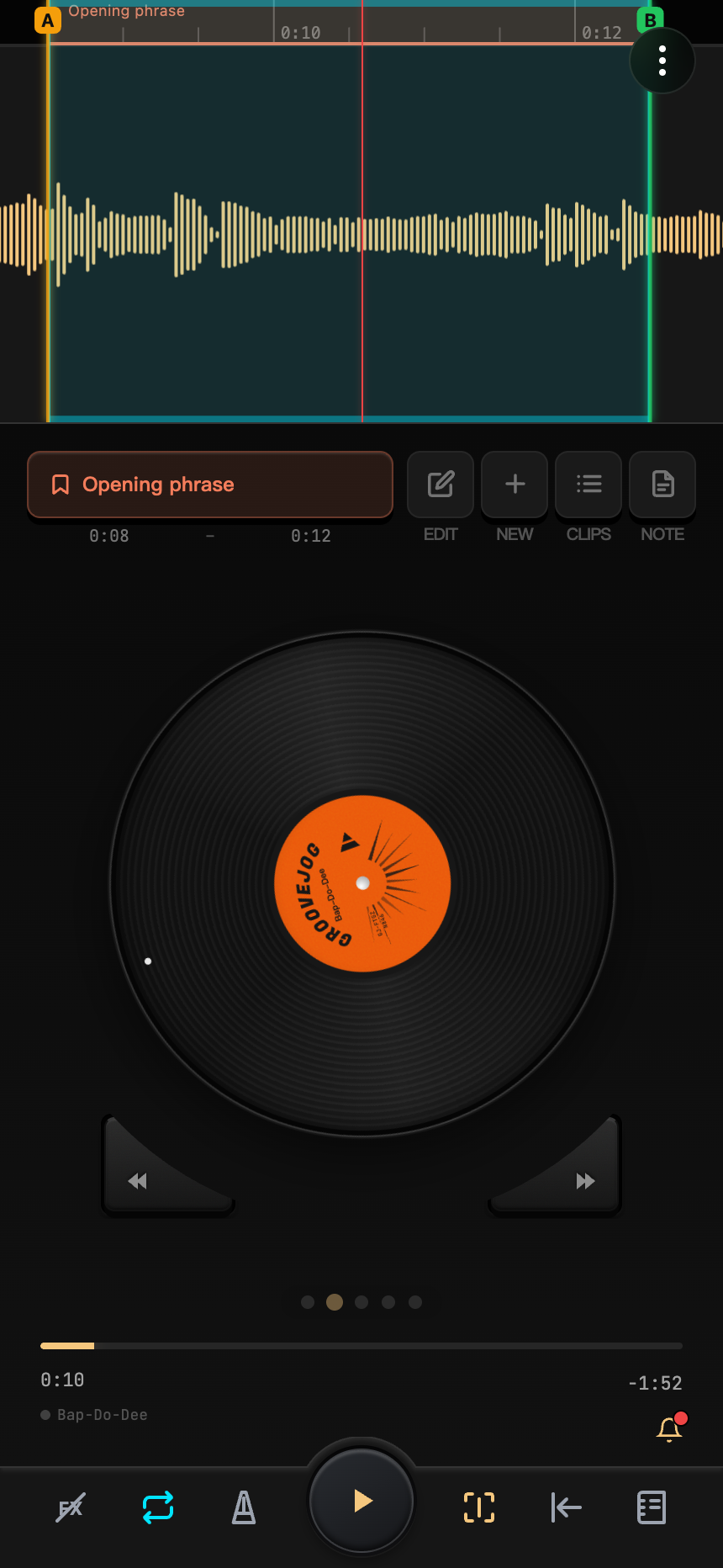
Common Features
- Disc and waveform scrubbing: listen forward and backward to find a starting point, or manually slow playback to hear details around the position you pass.
- Speed and pitch: slow a song while preserving pitch, or change its key while preserving speed.
- Loops and clips: select a practice range and save its name, color, and notes. Auto-Speed gradually changes speed after the number of repetitions you set.
- Stem mixing: hear one part alone, or reduce its volume to make a practice backing track.
- Video: play the picture with the audio and zoom in to examine finger positions or other details.
- Beats, pads, and notes: seek by beat, recall clips quickly, and record practice notes.
- Playlists: play multiple projects continuously in the app with shared audio settings.
Where to Start
For your first session, follow Quick Start to import a song, try slowing it down and looping it, then save it as a project.
The phone, tablet, and browser interfaces differ. Read Platforms, or go directly to the Phone Interface, Using a Tablet, or Using a Browser.